GO Launcher EX 3.26.1

GO Launcher Ex, the extended version of GO Launcher, is the most popular launcher app in Android Market. It supports customizable home makeover, themes, smooth operation experience as well as various practical utilities. It brings you a fresh and extraordinary mobile operation experience.

Key Features:
  • Thousands of personalized theme (Free downloads)
  • Featured widgets, such as GO Calendar, GO Task Manager and GO Clock
  • Extremely fancy home screen transition
  • Smooth flipping experience
  • User-defined folder to easily categorize apps
  • Set icon sorting, hide app icon and uninstall apps
New Features:
  • Supports GO Launcher super themes (more homescreen effects)
  • Draw patterns to active apps (double click on home screen to active custom gesture) - Squeezing effect of icons and widgets (Jelly Bean style)
  • Drag and swinging icon upward to delete icon or widget.
Tips:
  • How to get themes, widgets and lockers?
    1. Search ‘go launcher theme’, ‘go widget’ or ‘go locker’ in Android Market.
    2. Use GO Store via menu button in GO Launcher.
  • How to set transition animation?
    Use ‘Effects settings’ via button in GO Launcher.
  • Icons are too small?
    Use ‘Icon Size’ option in ‘Preferences->Visual settings->Icons’ to make icons bigger.
  • Long press the app icon to enter editing mode on home screen and app drawer.
  • Glide up to open menu and glide down to pull down notification.
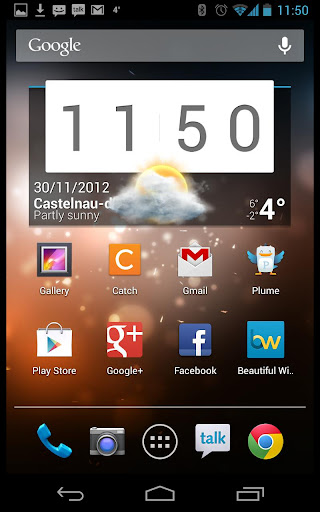
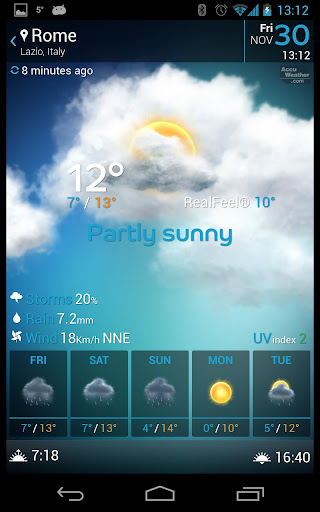
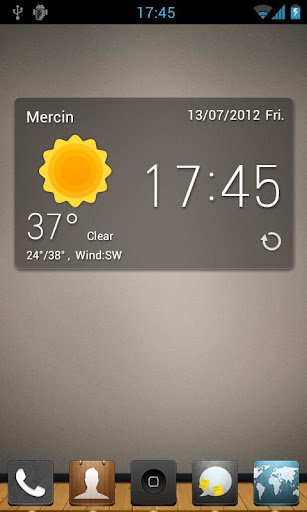
  • The widgets in the screenshots belong to GO Widget, attainable from Android Market or GO Store.
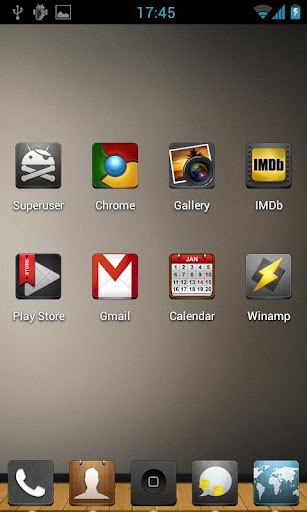
  • File browser can be found in the lower left of app drawer.
  • Process management feature is found down the running tab of app drawer. Clicking the broom icon and clean the memory.
Important:
  • GO Launcher is a totally free app without any charge.
  • If you cannot set ‘GO Launcher’ as the default home app, download ‘Home Manager’ to fix it.
  • ‘DIRECTLY CALL PHONE NUMBERS’ permission? It’s required by the feature to create shortcuts of ‘person’ and ‘direct dial’. GO Launcher won’t make unattended phone call and cost your money.
  • ‘READ CONTACT DATA’ permission?
It’s required by the feature to create ’person’ shortcut as well as to add contact folder.
DOWNLOAD APPLICATION

Koi Live Wallpaper 1.65

Koi Live Wallpaper: Colorful fish and interactive water!

Watch Koi happily explore their pond! Colorful fish and beautiful backgrounds make Koi Live Wallpaper better than the real thing! Select from 20 different Koi types!

Everything is 3D rendered in OpenGL 2.0, with fully interactive water that supports multitouch. Both tablets and phones are fully supported in both portrait and landscape modes!

Double-tap to feed your fish! Tap a fish to startle it!

This full version has access to the settings screen, with controls for your fish population, background image, raindrops, time of day, and more. Add lily pads to the water surface, or provide your own custom background!
DOWNLOAD APPLICATION

Smart Launcher Pro 1.0.5

Smart Launcher is an innovative launcher characterized by a minimalist design, low memory usage and an user-friendly UI that let you start any application with a few taps.
It is currently the only launcher on the store to features automatic cataloging of installed apps!

Features:
  • Main screen with Quick Start
  • Drawer organized by categories
  • Ready to use without special configurations.
  • Support for Live Wallpaper and screens of different sizes.
  • Support of set of icons for Launcher Pro and ADW Launcher
IMPORTANT NOTES!
Smart Launcher Pro 1.0.11.1 is already released! What’s in this version:
  • navigationbar bug fixed
  • more animation
  • lefthanded option in drawer
CHECK IT OUT HERE
DOWNLOAD APPLICATION

Lightning Launcher Home 7.1.2

 
Lose the fat, keep the muscle. Be warned, Lightning is a Launcher on steroïds.

Lightning Launcher is a speedy, lightweight and fully customizable home screen replacement for Android.
This application has been designed to minimize memory usage and be fast: the more memory you have for your applications, the faster they will run. In other words Lightning Launcher has been built from the ground to preserve your phone’s resources and keep it smooth.

Main features:
  • Wide variety of layout modes: grid, single columns, horizontal, vertical, free positioning,… 
  • Unlimited visual customization: change labels, icons, fonts, colors, alignment, sizes, and so on.
  • Innovative concept: your home screen is like an unlimited surface where apps and widgets can be placed anywhere, anyhow
  • Each item (app, shortcut, widget,…) can be individually customized, scaled, rotate, either to improve readability, or gain some precious pixels in a tight layout, or just for the fun of it.
  • Support for sophisticated folders, able to contains widgets and even other folders for complex organization. Each folder can be entirely customized, from the layout to the visual theme.
  • Support for configurable keys and gestures: bind your preferred action on your preferred key, launch a custom app upon swipe
  • Built from scratch and from the ground to be the most power efficient and the most RAM saving. The more memory you have for your apps, the faster they will run, and the longer your battery life will be.
  • And much more inside…
Plus, Lightning Launcher is free, has no ad, does not need internet permission nor root access. There is no full/pro/prime or HD version. All the Lightning power is right here and available in a single, very small and terribly efficient package. Still you may want to have a look at the extra apps. Purchasing one of these apps will bring you some more luxury features. This will also help with keeping this app alive… as well as its developer who is willing to make of this app the best launcher ever.
DOWNLOAD APPLICATION

Beautiful Widgets 5.0.7

Beautiful set of widgets including clock+weather, with some toggles

Beautiful Widgets, the perfect widgets application get a facelift and is back in a brand new version!

Tons of widgets, tons of themes, just for you. Beautiful Widgets is your best friend for customizing your home screen. Make it personal, be unique & express yourself.

Beautiful Widgets was the first paid app reaching 1 million of downloads. It has been Google Editor’s Choice for more than a year, and more then 3 years in the top #5 paid applications in the Android Play Store (previously Android Market).

THE BEST CHOICE FOR YOUR MOBILE OFFICE
  1. Rich editing features! All is FREE! 
  2. Small Size, Stable Operation, and Special interface!
  3. Support 23 kinds of files, including DOC/DOCX/TXT/XLS/XLSX/PPT/PPTX/PDF
  4. Built-in file manager that can automatically organize your office document
  5. Tight integration with the mail application
  6. Support cloud storages such as Google Drive, Dropbox, Box.net and other services with WebDAV protocol
  7. A variety of gestures operations, which make your work more interesting
  8. Support different Read Mode which be closer to the users’ need
Features:
  • Build-in lens: 4-lens, 2-lens, Collage, Miniature, Classic Lens and GIF-lens. Advanced features of DSLR like separate focus and exposure also including.
  • Easy editing: You can edit your photo by processing color, using special effects, frames and so on. There are more than 40 kinds of PS function, especially suit for those who loves photographing, recording life, snapshot, LOMO, or anything else.
  • Advanced PS mode: Basic on more than 40 kinds of PS function, you can also edit photo by yourself. Endlessness outcome of PS can satisfy any requirement.
  • GIF video: You can also use this lens to make creative dynamic photography.
  • Photo Collage: Shake Collage, Free Collage, Image Snitching can satisfy your demand for photo editing, and this function can make your sharing to SNS more attractive.
  • Multi-Platform Sharing: One clicks to share your photo to Facebook、Twitter、Tumblr、Sina Weibo, Tencent Weibo, QQ Zone, RenRen、Weixin and POCO. What’s more, @ and # function make the share easier!
DOWNLOAD APPLICATION

Next Launcher 1.12

Next Launcher, designed by GO Dev Team, is officially released now!

At the end of 2012, we have a surprise for you! Next Launcher, designed by GO Dev Team, is officially released now! Next Launcher is a new launcher application which is full of glorious 3D elements and dynamic effects. Fancy 3D visual elements, gorgeous transition effects and humanized gestures bring you a unique and splendid operation experience and visual enjoyment.

Features:
  • Various operation for icons: icons support rotation, reset, select, align and so on. Operation is easy and fantastic.
  • Unlimited screen layout: placing icons or widgets randomly which forms your own home screen.
  • Stereoscopic screen preview: lots of screen display effects, dazzling animation of screen switching about adding or deleting screen.
  • Quick screen management: adding different kinds of elements in screen edit including application icons, folders and widgets. It’ll support changing wallpapers and themes soon. 
  • Rotatable dock: inverting upward or downward the Dock can quickly switch among home screen, screen edit and screen preview.
  • Powerful app drawer: icons can be arranged by names or by time, and folders can be created by overlaying icons. Batch mode and operation of adding apps to screen are also available. 
  • Beautiful scrolling effects: a variety of app drawer scrolling effects that provide a distinctive screen switching experience.
  • Fancy 3D widgets: 3D widgets that are based on Next Launcher are coming soon!
Tips:
  • Please make sure your device has installed Google Play.
  • Phone performance:Android 2.3.3 and up; Dual-core models is better.
  • Suggestion:Watch the video of Next Launcher first, to know about the cool operation of the product.
DOWNLOAD APPLICATION

Launcher 8 1.2.2

A new style Launcher for your Android Phone.

Bored of Android’s User Interface? Do you want a new style start screen? If you do, then wait no more!
Launcher 8 is a great app for you to experience the brand new style UI on your Android mobile phone.You can esay design look like Windows Phone 8 layout (fake wp8) and show off to your friends!

Features:
  • You can add different size tiles
  • You can add a variety of color tile
  • You can save and restore the theme
  • You can edit the start screen layout
  • You can set the current background style
  • You can switch the application list style
  • You can add Android widgets in the tiles
  • You can set the lock screen style
  • You can select more than one hundred kinds of theme colors
  • You can add special features tiles, like time, pictures and contact photo.
DOWNLOAD APPLICATION

Next Launcher 1.1

Next Launcher, designed by GO Dev Team, is officially released now!

At the end of 2012, we have a surprise for you! Next Launcher, designed by GO Dev Team, is officially released now! Next Launcher is a new launcher application which is full of glorious 3D elements and dynamic effects. Fancy 3D visual elements, gorgeous transition effects and humanized gestures bring you a unique and splendid operation experience and visual enjoyment.

Features:
  • Various operation for icons: icons support rotation, reset, select, align and so on. Operation is easy and fantastic.
  • Unlimited screen layout: placing icons or widgets randomly which forms your own home screen.
  • Stereoscopic screen preview: lots of screen display effects, dazzling animation of screen switching about adding or deleting screen.
  • Quick screen management: adding different kinds of elements in screen edit including application icons, folders and widgets. It’ll support changing wallpapers and themes soon. 
  • Rotatable dock: inverting upward or downward the Dock can quickly switch among home screen, screen edit and screen preview.
  • Powerful app drawer: icons can be arranged by names or by time, and folders can be created by overlaying icons. Batch mode and operation of adding apps to screen are also available. 
  • Beautiful scrolling effects: a variety of app drawer scrolling effects that provide a distinctive screen switching experience.
  • Fancy 3D widgets: 3D widgets that are based on Next Launcher are coming soon!
Tips:
  • Please make sure your device has installed Google Play.
  • Phone performance:Android 2.3.3 and up; Dual-core models is better.
  • Suggestion:Watch the video of Next Launcher first, to know about the cool operation of the product.
IMPORTANT NOTES!
Next Launcher 1.12 is already released! What’s in this version:
  • (New) New common apps icons
  • (New) Next shortcuts
  • (New) Support to add more than five icons on the Dock
  • (New) Hide some apps in the app drawer
  • (Improve) Some problem of folders
  • (Improve) Operating tips
  • (Fix) Some FC bugs which found from V1.11
DOWNLOAD APPLICATION

Beautiful Widgets 5.0.5

Beautiful set of widgets including clock+weather, with some toggles

Beautiful Widgets, the perfect widgets application get a facelift and is back in a brand new version!

Tons of widgets, tons of themes, just for you. Beautiful Widgets is your best friend for customizing your home screen. Make it personal, be unique & express yourself.

Beautiful Widgets was the first paid app reaching 1 million of downloads. It has been Google Editor’s Choice for more than a year, and more then 3 years in the top #5 paid applications in the Android Play Store (previously Android Market).

THE BEST CHOICE FOR YOUR MOBILE OFFICE
  1. Rich editing features! All is FREE! 
  2. Small Size, Stable Operation, and Special interface!
  3. Support 23 kinds of files, including DOC/DOCX/TXT/XLS/XLSX/PPT/PPTX/PDF
  4. Built-in file manager that can automatically organize your office document
  5. Tight integration with the mail application
  6. Support cloud storages such as Google Drive, Dropbox, Box.net and other services with WebDAV protocol
  7. A variety of gestures operations, which make your work more interesting
  8. Support different Read Mode which be closer to the users’ need
Features:
  • Build-in lens: 4-lens, 2-lens, Collage, Miniature, Classic Lens and GIF-lens. Advanced features of DSLR like separate focus and exposure also including.
  • Easy editing: You can edit your photo by processing color, using special effects, frames and so on. There are more than 40 kinds of PS function, especially suit for those who loves photographing, recording life, snapshot, LOMO, or anything else.
  • Advanced PS mode: Basic on more than 40 kinds of PS function, you can also edit photo by yourself. Endlessness outcome of PS can satisfy any requirement.
  • GIF video: You can also use this lens to make creative dynamic photography.
  • Photo Collage: Shake Collage, Free Collage, Image Snitching can satisfy your demand for photo editing, and this function can make your sharing to SNS more attractive.
  • Multi-Platform Sharing: One clicks to share your photo to Facebook、Twitter、Tumblr、Sina Weibo, Tencent Weibo, QQ Zone, RenRen、Weixin and POCO. What’s more, @ and # function make the share easier!
IMPORTANT NOTES!
Beautiful Widgets 5.0.7 is already released! The update contain fixes some bugs.
DOWNLOAD APPLICATION

Smart Launcher Pro 0.12.18

Smart Launcher is an innovative launcher characterized by a minimalist design, low memory usage and an user-friendly UI that let you start any application with a few taps.
It is currently the only launcher on the store to features automatic cataloging of installed apps!

Features:
  • Main screen with Quick Start
  • Drawer organized by categories
  • Ready to use without special configurations.
  • Support for Live Wallpaper and screens of different sizes.
  • Support of set of icons for Launcher Pro and ADW Launcher
IMPORTANT NOTES!
Smart Launcher Pro 1.0.11.1 is already released! What’s in this version:
  • navigationbar bug fixed
  • more animation
  • lefthanded option in drawer
CHECK IT OUT HERE
DOWNLOAD APPLICATION

Idear Apex Theme 1.1

This theme Designed by 2D ART.Icons are jaku theme based and some icons made by jakurepo.com users. Most of icons created by 2D Art. More icons coming soon.

Features Overview:
  • Over 210 icons (Add more soon)
  • 2 wallpapers
  • New Icons Cover
Installation Apex Launcher:
  • Install Apex Launcher (Free or Pro)
  • Install theme
  • Open Apex Settings
  • Open Theme Settings
  • Select and Apply Idear Theme
DOWNLOAD APPLICATION

GO Launcher EX 3.23.1

GO Launcher Ex, the extended version of GO Launcher, is the most popular launcher app in Android Market. It supports customizable home makeover, themes, smooth operation experience as well as various practical utilities. It brings you a fresh and extraordinary mobile operation experience.

Key Features:
  • Thousands of personalized theme (Free downloads)
  • Featured widgets, such as GO Calendar, GO Task Manager and GO Clock
  • Extremely fancy home screen transition
  • Smooth flipping experience
  • User-defined folder to easily categorize apps
  • Set icon sorting, hide app icon and uninstall apps
New Features:
  • Supports GO Launcher super themes (more homescreen effects)
  • Draw patterns to active apps (double click on home screen to active custom gesture) - Squeezing effect of icons and widgets (Jelly Bean style)
  • Drag and swinging icon upward to delete icon or widget.
Tips:
  • How to get themes, widgets and lockers?
    1. Search ‘go launcher theme’, ‘go widget’ or ‘go locker’ in Android Market.
    2. Use GO Store via menu button in GO Launcher.
  • How to set transition animation?
    Use ‘Effects settings’ via button in GO Launcher.
  • Icons are too small?
    Use ‘Icon Size’ option in ‘Preferences->Visual settings->Icons’ to make icons bigger.
  • Long press the app icon to enter editing mode on home screen and app drawer.
  • Glide up to open menu and glide down to pull down notification.
  • The widgets in the screenshots belong to GO Widget, attainable from Android Market or GO Store.
  • File browser can be found in the lower left of app drawer.
  • Process management feature is found down the running tab of app drawer. Clicking the broom icon and clean the memory.
Important:
  • GO Launcher is a totally free app without any charge.
  • If you cannot set ‘GO Launcher’ as the default home app, download ‘Home Manager’ to fix it.
  • ‘DIRECTLY CALL PHONE NUMBERS’ permission? It’s required by the feature to create shortcuts of ‘person’ and ‘direct dial’. GO Launcher won’t make unattended phone call and cost your money.
  • ‘READ CONTACT DATA’ permission?
It’s required by the feature to create ’person’ shortcut as well as to add contact folder.

IMPORTANT NOTES!
GO Launcher EX 3.26.1 is already released!
CHECK IT OUT HERE
DOWNLOAD APPLICATION

ssLauncher the Original 1.9.3

The fastest and fully customizable!
ssLauncher the Original is implementing all features of ssLauncher (free version). Additionally, this includes more features, some of which are applied partially to the free version.

Features:
  • All of ssLauncher
  • Copy & paste of shortcuts
  • Crop icons and images
  • Additional formatted text
  • Additional page transition animations
  • Supports application parcel ( folder ) without limitations
  • Add user defined style for shortcut
DOWNLOAD APPLICATION

Apex Launcher 1.4.0

Powerful, fast, and highly customizable home replacement for Android 4.0+.

Apex Launcher helps you create a customized homescreen experience on your Android (4.0+) device.

Features:
  • Customizable homescreen grid size and up to 9 homescreens
  • Scrollable dock with up to 7 icons per page and up to 5 pages
  • Infinite & elastic scrolling (homescreen, drawer and dock)
  • Fancy transition effects (tablet, cube, etc.)
  • Hide elements as you want (persistent search bar, status bar, or even the dock)
  • Customizable icons and labels for shortcuts and folders
  • Choose different folder preview styles and background
  • Multiple drawer styles (transparent/opaque, horizontal / vertical, paginated / continuous)
  • Drawer apps sorting (title, install date, mostly used)
  • Hide apps from the drawer
  • Lock your desktop to prevent accidental changes
  • Enjoy homescreen gestures (pinch, swipe up / down, double tap)
  • Advanced theme engine (icon packs, skins, etc.)
  • Backup/restore settings and data
  • Optimized for both phones and tablets
  • Lots of other customization options!
Apex Launcher Pro (Paid Version) Features:
  • Multiple configurable drawer tabs
  • Unread count notifications
  • Dock swipe gestures
  • Two finger gestures
  • More transition effects
  • ADW, LauncherPro, and Go Launcher theme support
  • Batch add option for folders
  • Option to merge folder contents
  • Widgets in dock (1×1 only)
  • Overlapping widgets
  • More features on the way!
Tips:
  • Pinch the screen to access screen previews (like Exposé or HTC Sense).
  • Long press an icon to drag and drop it over another one to create a folder.
  • Long press icons / folders on the desktop and choose edit from the popup menu to customize icons and labels.
  • Drag, hover, and drop app icons over the delete button at the top of the screen to quickly uninstall apps.
  • Long press an app in the hide apps list to quickly launch that app.
  • Switch to single screen wallpaper mode to fix wallpaper zooming issues.
  • Enable the Root Helper in advanced settings (root required) to add widgets from the drawer.
Permissions:
  • BIND_APPWIDGET: Required to add widgets from the drawer (only if installed as system app).
  • CALL_PHONE: Create direct-dial shortcuts on the homescreen.
  • EXPAND_STATUS_BAR/SET_WALLPAPER/SET_WALLPAPER_HINTS/VIBRATE: Standard launcher functions.
  • INTERNET/ACCESS_NETWORK_STATE: Check for updates and anonymous usage/error reporting (optional).
  • READ_EXTERNAL_STORAGE/WRITE_EXTERNAL_STORAGE: Backup/restore settings and data.
  • READ_CONTACTS/READ_SMS/GET_ACCOUNTS/READ_CONTENT_PROVIDER: Missed call and unread SMS/Gmail notifications (pro version).
DOWNLOAD APPLICATION

3D Christmas Live Wallpaper Free 2.05F

3D Christmas Live Wallpaper Free is a stunning 3D live wallpaper featuring a sparkling Christmas Tree of Light, plus an exciting Countdown to Christmas and the New Year. Both scenes in the free version can be enjoyed as a live wallpaper background, or as a fully interactive foreground app where you can look around freely, and quickly customise your settings.

If you enjoy the free version, please check out the full version here on Google Play which contains lots of extra scenes and features including:
  • The ability to pick and choose from your favourite scenes to display (Christmas Tree scene, Happy New Year scene, Countdown scene, Snow scene, Lanterns scene, Fireworks, Valentine’s Day, or any combination).
  • A range of vibrant colour schemes.
  • A colour cycling mode that sweeps through all the colours of the rainbow.
  • Amazing 3D Fireworks!
  • Choose your favourite camera angles and 3D animation fly-bys.
  • Option to count down in either rounded-up days (the traditional days-to-Christmas method), or a fully accurate and nail-biting Days, Hours, Minutes and Seconds method.
  • Additional tree lights.
  • Snowfall amount and speed.
  • Display quality options for larger displays (tablets).
  • Lots of performance options to run smoothly and save battery.
  • Screen positioning and zoom options.
  • Did we mention the amazing fireworks?
  • New 32-bit colour mode for smoother colours on some devices.
The full version features a Happy New Year scene with fireworks, a super realistic 3D Snow Scene, a magical Sky Lanterns scene to celebrate the Year of the Dragon, plus a bonus Valentine's day scene, and by popular demand a dedicated Fireworks scene! (That's 7 wallpapers in 1!)
DOWNLOAD APPLICATION

Smart Launcher Pro 0.12.16s4

Smart Launcher is an innovative launcher characterized by a minimalist design, low memory usage and an user-friendly UI that let you start any application with a few taps.
It is currently the only launcher on the store to features automatic cataloging of installed apps!

Features:
  • Main screen with Quick Start
  • Drawer organized by categories
  • Ready to use without special configurations.
  • Support for Live Wallpaper and screens of different sizes.
  • Support of set of icons for Launcher Pro and ADW Launcher
IMPORTANT NOTES!
Smart Launcher Pro 0.12.18 is already released! The update contain fixes some bugs.
DOWNLOAD APPLICATION

Action Launcher Pro 1.0.3

Getting you where you need to go, faster.

Action Launcher re-imagines the concept of an Android launcher. Put simply, Action Launcher is designed to get you where you need to go, faster.

It looks and feels like a natural launching pad for the Android ecosystem.

Standout features include:
  • Sliding app drawer for instant access to all your apps
  • ’Covers’, a powerful new way to quickly launch apps and shortcuts without compromising the look of your carefully crafted homescreen.
  • Action bar present on the home screen
  • Highly organized customization options
  • Strong Play Store integration
Action Launcher automatically imports your existing launcher layout, so you’ll instantly feel right at home.
DOWNLOAD APPLICATION

Apex Launcher 1.4.0 beta3

Powerful, fast, and highly customizable home replacement for Android 4.0+.

Apex Launcher helps you create a customized homescreen experience on your Android (4.0+) device.

Features:
  • Customizable homescreen grid size and up to 9 homescreens
  • Scrollable dock with up to 7 icons per page and up to 5 pages
  • Infinite & elastic scrolling (homescreen, drawer and dock)
  • Fancy transition effects (tablet, cube, etc.)
  • Hide elements as you want (persistent search bar, status bar, or even the dock)
  • Customizable icons and labels for shortcuts and folders
  • Choose different folder preview styles and background
  • Multiple drawer styles (transparent/opaque, horizontal / vertical, paginated / continuous)
  • Drawer apps sorting (title, install date, mostly used)
  • Hide apps from the drawer
  • Lock your desktop to prevent accidental changes
  • Enjoy homescreen gestures (pinch, swipe up / down, double tap)
  • Advanced theme engine (icon packs, skins, etc.)
  • Backup/restore settings and data
  • Optimized for both phones and tablets
  • Lots of other customization options!
Apex Launcher Pro (Paid Version) Features:
  • Multiple configurable drawer tabs
  • Unread count notifications
  • Dock swipe gestures
  • Two finger gestures
  • More transition effects
  • ADW, LauncherPro, and Go Launcher theme support
  • Batch add option for folders
  • Option to merge folder contents
  • Widgets in dock (1×1 only)
  • Overlapping widgets
  • More features on the way!
Tips:
  • Pinch the screen to access screen previews (like Exposé or HTC Sense).
  • Long press an icon to drag and drop it over another one to create a folder.
  • Long press icons / folders on the desktop and choose edit from the popup menu to customize icons and labels.
  • Drag, hover, and drop app icons over the delete button at the top of the screen to quickly uninstall apps.
  • Long press an app in the hide apps list to quickly launch that app.
  • Switch to single screen wallpaper mode to fix wallpaper zooming issues.
  • Enable the Root Helper in advanced settings (root required) to add widgets from the drawer.
Permissions:
  • BIND_APPWIDGET: Required to add widgets from the drawer (only if installed as system app).
  • CALL_PHONE: Create direct-dial shortcuts on the homescreen.
  • EXPAND_STATUS_BAR/SET_WALLPAPER/SET_WALLPAPER_HINTS/VIBRATE: Standard launcher functions.
  • INTERNET/ACCESS_NETWORK_STATE: Check for updates and anonymous usage/error reporting (optional).
  • READ_EXTERNAL_STORAGE/WRITE_EXTERNAL_STORAGE: Backup/restore settings and data.
  • READ_CONTACTS/READ_SMS/GET_ACCOUNTS/READ_CONTENT_PROVIDER: Missed call and unread SMS/Gmail notifications (pro version).
IMPORTANT NOTES!
Apex Launcher 1.4.0 is already released! What’s in this version:
New permissions are required to import data from other launchers.
  • Merged changes from Android 4.2
  • Option to change icon size
  • New Apex action to expand quick settings
  • Import desktop data from other launchers
  • Improved theme support
  • Added dock swipe gesture on folders (pro)
  • Added support for Next Honeycomb LWP
  • Fixed shortcut picker for Android 4.2
  • Fixed TouchWiz widget issues
  • Various bug fixes and optimizations
  • Updated translations
DOWNLOAD APPLICATION

GO Locker 1.60

GO Locker, design to GO Launcher EX is the most simple locker for Android!

The lastest version has been mistaken for malware by ’Avast! Mobile Security’.
The lastest virus database version of ’Avast! Mobile Security’ has fix this problem.
Users can enjoy GO Locker as usual without unsafe factors.Thanks!

GO Dev Team

Notice! Here comes the version of GO Locker.

Features:
  • Cool Locker Screen that makes your phone outstanding
  • Good compatibility with GO Launcher EX and it is stable
  • Easy to use
  • Able to activate phone, SMS and Camera directly or you can change the slider shortcuts yourself
  • Various of Locker Themes to match your style
  • Support customise wallpaper
  • Security locker
  • Emergency unlock enabled;
DOWNLOAD APPLICATION

CM10.1/10 Theme Neon Colors 2.15

Now Support CM10.1 and other android 4.2 Rom’s that support theme chooser
The Theme Now Support XHDPI devices
A colorful theme with effect of neon on dark backgrounds For Theme chooser rom’s CM10/CM9/AOKP
For Those WHo Don’t Like Colorfull will release it on single color also but this time no minimal
DOWNLOAD APPLICATION